One library for
every game you own.
OpenBox unifies Steam, GOG, Heroic, Lutris, ROMs and arcade sets into a single art-rich, searchable, controller-ready catalog. No account. No cloud. No telemetry. It all lives on your machine.
// THE LIBRARY
A command center for your entire collection.
Faceted filters, rich box art, per-game metadata, achievements and play history. Every detail, one keystroke away.

// EVERY SOURCE
Import from everywhere. Manage in one place.
Point OpenBox at your stores, folders and emulators. It fetches art, metadata and achievements, then hands you one clean, deduplicated catalog.
// SAVES AND RECOVERY
Your saves, backed up before you need them.
OpenBox finds where your saves live, versions them locally, and restores with safety checks. Nothing is uploaded, and game files are never touched.
Session history
Every launch records start time, duration, and exit status. Play time and launch counts accumulate per game, with a progress status that updates automatically on first play.
Save discovery
Scan for saves across Steam Cloud, RetroArch, PCSX2, PPSSPP, RPCS3, Dolphin, Cemu, and more. Found locations are attached to the game, ready to back up.
Versioned backups
One click backs up a game's saves into a dated archive beside your library. Retention limits keep the folder from growing forever, and restore re-validates paths before writing anything.
Restore with guards
Restoring an older backup over a newer library is refused unless you explicitly force it. Every restore writes a new backup first, so the current state survives a mistake.
Library backups
Archive the whole library: games, settings, media metadata, playlists, and tags. Inspect what is inside, restore selectively, and rotate old archives automatically.
Ludusavi and Hoard
Detected CLI save tools hook into the same flows. One status check tells you which are available, and backups never touch game files or symlinked directories.
// METADATA AND MEDIA
Bare folders become rich library entries.
OpenBox matches games to metadata sources and pulls artwork, videos, and extras into your local library. Bulk jobs are bounded so large collections stay responsive.
LaunchBox Games Database
Daily metadata sync matches your games and fills release dates, developers, publishers, ESRB, genres, and descriptions.
IGDB search
Search IGDB per game when a title is missing or ambiguous, and apply the result without leaving the detail pane.
Artwork everywhere
Box fronts, backgrounds, screenshots, clear logos, fanart, banners, and 3D boxes. Pick a preferred image group per platform or playlist.
Video and trailers
Game videos play in the detail pane and Big Box screensaver. Steam trailers and GOG media download per game.
EmuMovies and Bezel Project
EmuMovies downloads media with your credentials, and bezels download into a staging swap so a bad archive never breaks the working set.
Media packs
Bundled packs add platform clear logos, controller prompt sets, and badge styles. No subscription required.
// EMULATORS AND LAUNCHING
Emulators installed and configured for you.
OpenBox installs emulators from Flathub, writes the platform profiles, and validates launches before a process starts. Failures name the missing piece instead of silently dying.
Install from Flathub
Dolphin, PPSSPP, PCSX2, RPCS3, Cemu, MAME, xemu, ScummVM, RetroArch, DuckStation, and melonDS install with one click, adding the Flathub remote when missing.
Tokenized launch commands
Platform profiles use tokens like {path}, {rom_name}, and {app_id}. Commands are split with shell rules, never interpolated, so paths with spaces stay one argument.
Safe archive extraction
ZIP, 7z, and RAR extract at launch into a content-addressed cache. The extractor refuses symlinks, .. paths, device nodes, and oversized members by design.
Dependency checks
Known BIOS and firmware locations are checked per emulator, and missing items are reported before you wonder why a game won't boot.
Detected profiles
Native emulator binaries on PATH are detected and merged into the profile list automatically. YAML definition packs map extensions to platforms.
Per-game overrides
A game can pick a different launch command or a named profile without touching the platform default. Steam, Heroic, and Lutris entries launch through their own clients.
// BIG BOX MODE
From desktop to the couch, instantly.
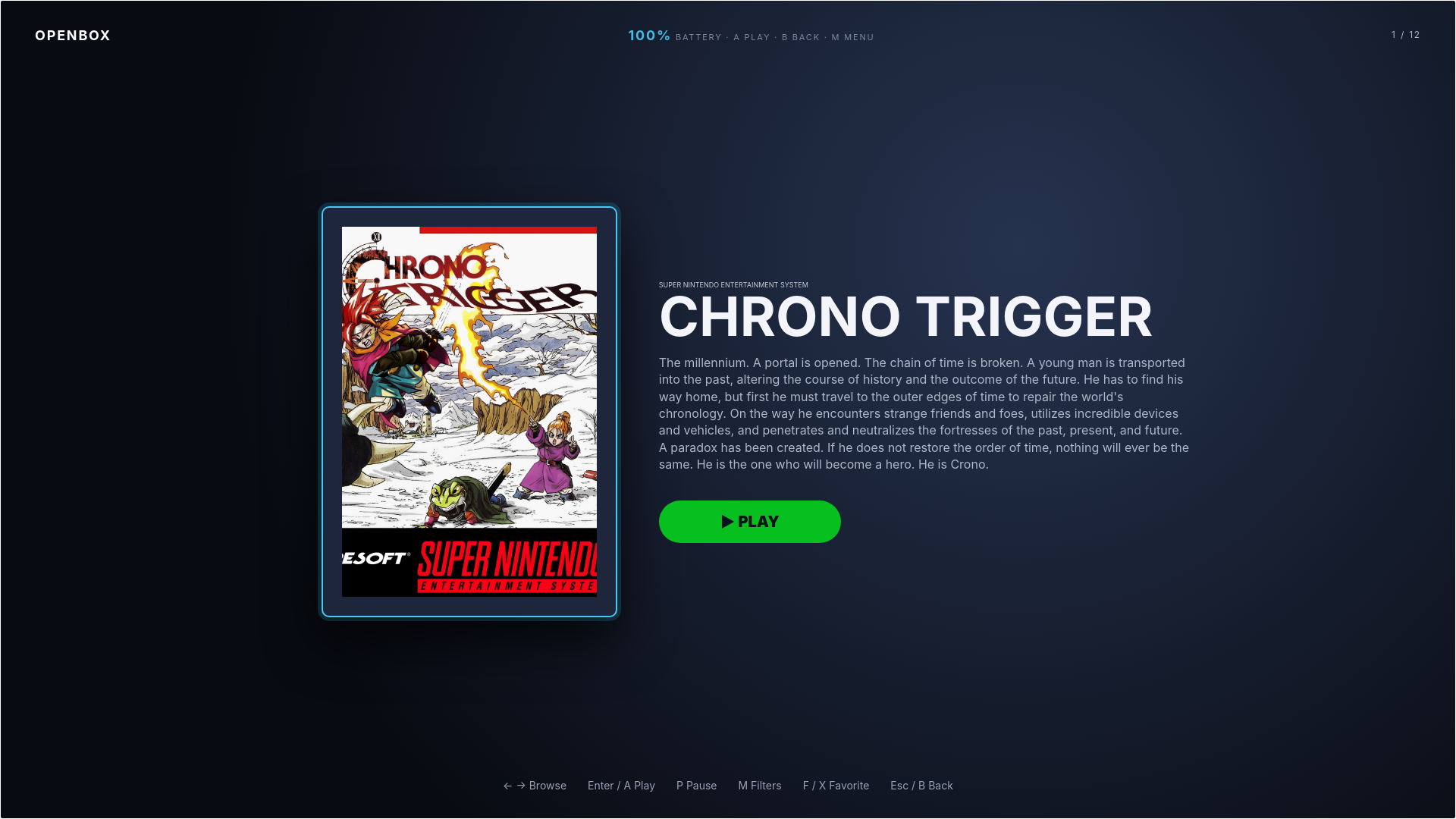
One shortcut flips OpenBox into a fullscreen, controller-first launcher. Perfect for the Steam Deck, a handheld, or a TV-connected battlestation.

10-foot UI
Living-room ready layouts that look right from the couch.
Controller-native
Full navigation with a gamepad. Keyboard optional.
Instant launch
Pick a game, hit A, you're playing. No menus in the way.
// STEAM DECK AND HANDHELDS
Built for the couch and the handheld.
OpenBox targets Steam Deck, Bazzite, and handheld PCs. AppImage works on immutable systems, and Game Mode behaves like a native app.
Steam Game Mode guest
Run as a guest inside Steam's gamescope session with --game-mode, so Steam Input, the Quick Access Menu, and MangoHud stay with Steam.
Kiosk fullscreen
Under gamescope, OpenBox opens Big Box in a kiosk browser and tags its window with a dedicated STEAM_GAME id so it is treated as a real app window.
TDP profiles
Per-launch-profile TDP limits apply via ryzenadj on Deck and battery-powered handhelds, with an optional restore limit when the session ends.
Attract mode
Big Box screensaver rotates games after a configurable delay and launches the displayed title on any input. Startup video and library BGM included.
// BUILT FOR COLLECTORS
Every feature a serious library deserves.
COMMAND PALETTE
Launch anything with a keystroke.
Press Ctrl K to fuzzy-search across every platform, jump to a game, apply a filter, or fire a command. No mouse required.
RetroAchievements
Match ROMs to achievement sets and track hardcore, beaten, and mastered progress.
Play history
Session times, launch counts and last-played, per game.
Themes
Reskin the whole app. Community themes in one click.
Plugins
Extend imports, scrapers and views with an open API.
Rate, tag and organize. Star ratings, custom categories, smart playlists and saved filter presets keep even a 10,000-game backlog navigable.
// EXTEND AND AUTOMATE
Scriptable, pluggable, and local.
Power users get a real API, Python plugin hooks, and signed webhooks. Everything runs against your local library, no account, no external service.
REST API
A token-authenticated local API covers library, launch, saves, backups, themes, plugins, and automation. Loopback only, per-launch token, documented end to end.
Python plugins
Plugins hook library loads, before_launch, and after_session. Install from a catalog or locally, with safe mode that disables everything on a bad plugin.
Signed webhooks
HMAC-signed event deliveries for queue, tags, notifications, and library changes. Destinations are validated against loopback and local address rules before anything is sent.
Play queue
Queue games to play next, with persistent state that survives restarts. Queue controls live in the web UI and the API.
Notification center
Import results, job completions, and failures land in one deduplicated inbox. Mark read individually or all at once.
Themes
Five bundled CSS themes plus imported community themes, applied globally or per platform, with live reload.
// LOCAL-FIRST BY DESIGN
Your games. Your machine.
Nobody else's business.
OpenBox is built on a simple promise: everything runs locally. No sync servers, no analytics beacons, no hidden network calls. It works perfectly offline because that's the whole point.
Two interfaces share the same local library: the full-featured Web UI with Big Box and the REST API, and a lightweight native desktop window. Both write to the same library.json, process-safe, so you can switch between them freely.
No cloud
Your library, saves and metadata never leave the device.
No account
Nothing to sign up for. Open the app and start playing.
Zero telemetry
We don't track you. There is nothing to track.
Open source
AGPL-3.0-licensed and auditable, top to bottom.